







Overview
Transform how you manage documents and processes
DocuWare is a comprehensive document management and workflow automation solution that enables organisations to thrive in a digital-first world. Available as a flexible cloud-based (SaaS) or on-premises system, DocuWare allows businesses of all sizes to digitise, organise, and secure their documents while automating critical processes.



DocuWare meets a range of business and operational needs, including:
- Invoice accuracy and efficiency:
DocuWare ensures timely and accurate invoicing, enabling efficient billing and speeding up invoice approval with efficient workflows. With faster accounting and real-time financial reporting, you can cut transaction costs and improve profitability. - Document protection and business continuity:
DocuWare prioritises document protection with secure storage, managed access rights and permissions, safeguarding critical information and ensuring compliance with data privacy regulations. - Streamlining expense planning:
DocuWare provides real-time access to relevant documents. This results in better cost control and savings on credit conditions. - Maximising cash discounts:
With DocuWare's streamlined processes, your business can take full advantage of cash discounts offered by vendors, helping to enhance your financial efficiency. - Meeting project subvention requirements:
DocuWare enables the prompt and accurate presentation of all necessary documents, ensuring compliance and facilitating project subventions.

Features
-
Smart document storage
-
Robust security
-
Advanced search
-
Intelligent Indexing
-
Collaborate easily
-
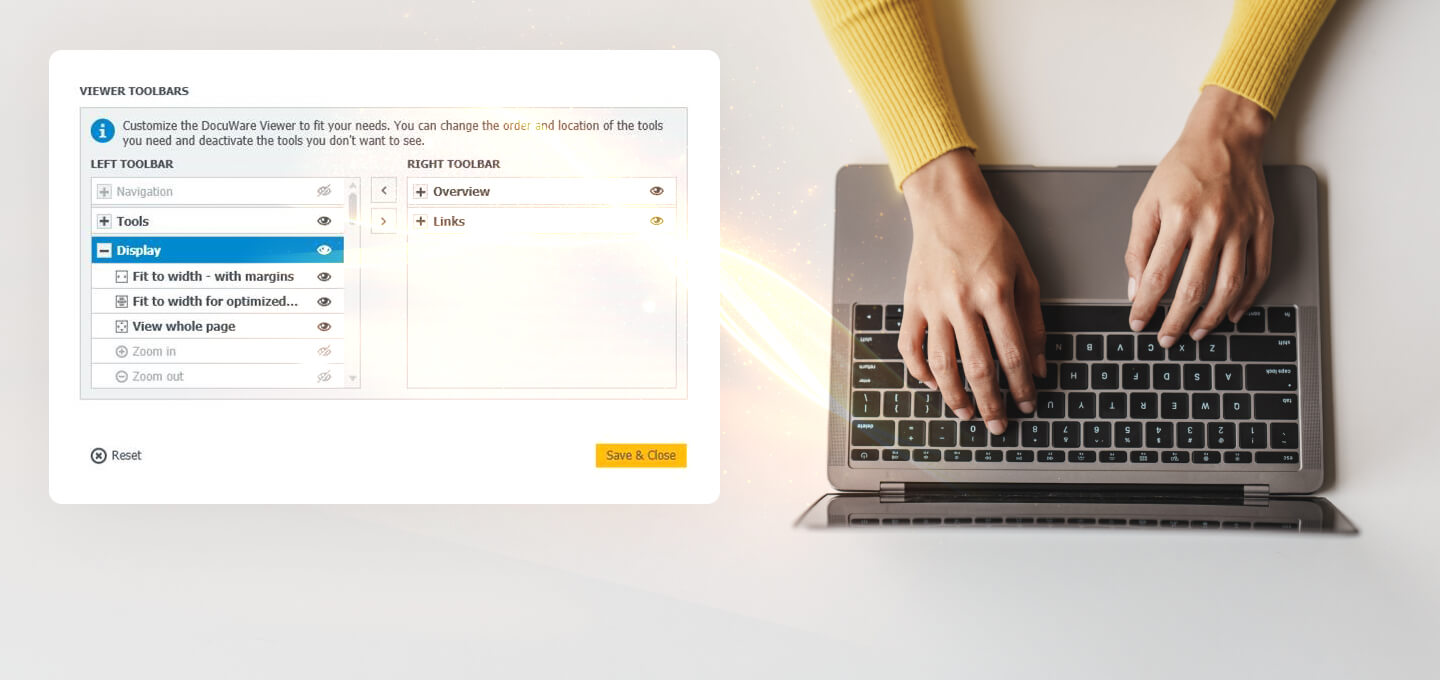
DocuWare Client Viewer
-
Extensive integration options
Smart document storage

Robust security

Advanced search

Intelligent Indexing

Collaborate easily

DocuWare Client Viewer
Extensive integration options




Frequently Asked Questions
Answering common questions about Docuware
Q1. Are there different versions of the solution?
DocuWare has a cloud version and an on-premise version, to adress your organisations’ specific needs.
Q2. How does the configuration process work?
DocuWare contains 28 modules that can be used to configure the final solution. A comprehensive overview shows which permissions are required for a configuration module to be visible in DocuWare Configuration. The overview refers to DocuWare Cloud; if the on-premises installation differs from the settings, this is noted.
Q3. How is it possible to manage processes?
With DocuWare Workflow Manager, you can create clear rules for document handling in your company, such as control working processes using document-based workflows implemented with the DocuWare system. This lightens the load on your employees and makes daily business operations easier, as tasks can be performed quickly and efficiently.
Q4. How does user administration work?
Users and user rights are managed conveniently and clearly within DocuWare Configuration. With just a few clicks, a new user is created with a personal document tray and all rights required for their tasks. The rights can be given to the user as usual through their membership of groups and roles and by the assignment of functions, function profiles, and file cabinet profiles. In addition to users, you also manage groups, roles, and function profiles.
Q5. Can DocuWare be considered an open solution that can be integrated with other platforms and solutions?
Absolutely yes: several connectors for third-party solutions are already available and the solution is open to new integration opportunities, for example in ERP environments, corporate databases and networking platforms